Patient registration and billing
The front desk is where a lab’s errors start. Registration puts the patient, the tests and the bill on one screen, prints a barcoded bill on the printer you already own, and gives the patient a QR code to follow the order.
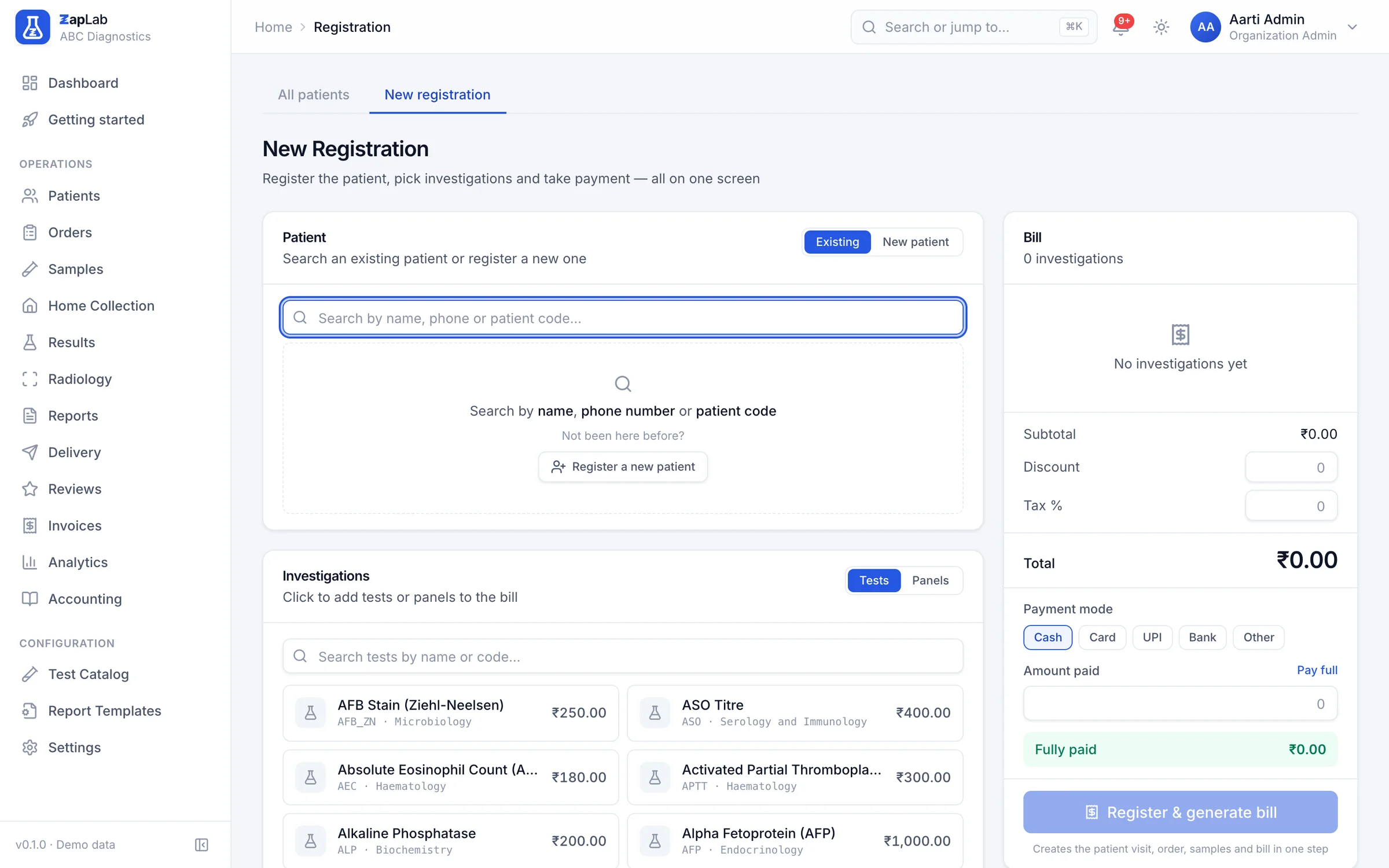
Register and bill on one screen
Search for the patient by name, phone or patient code before you create anything, pick tests and panels with their prices, apply a discount, set the tax, choose the payment mode and enter what was paid. One action creates the patient if needed, the visit, the order, the samples and the invoice, each step handled by the service that owns its rules. The picker reads your catalogue, which starts as the shipped library of 16 panels and packages.
One call composes patient, order, invoice and payment, delegating each rule to the service that owns it.
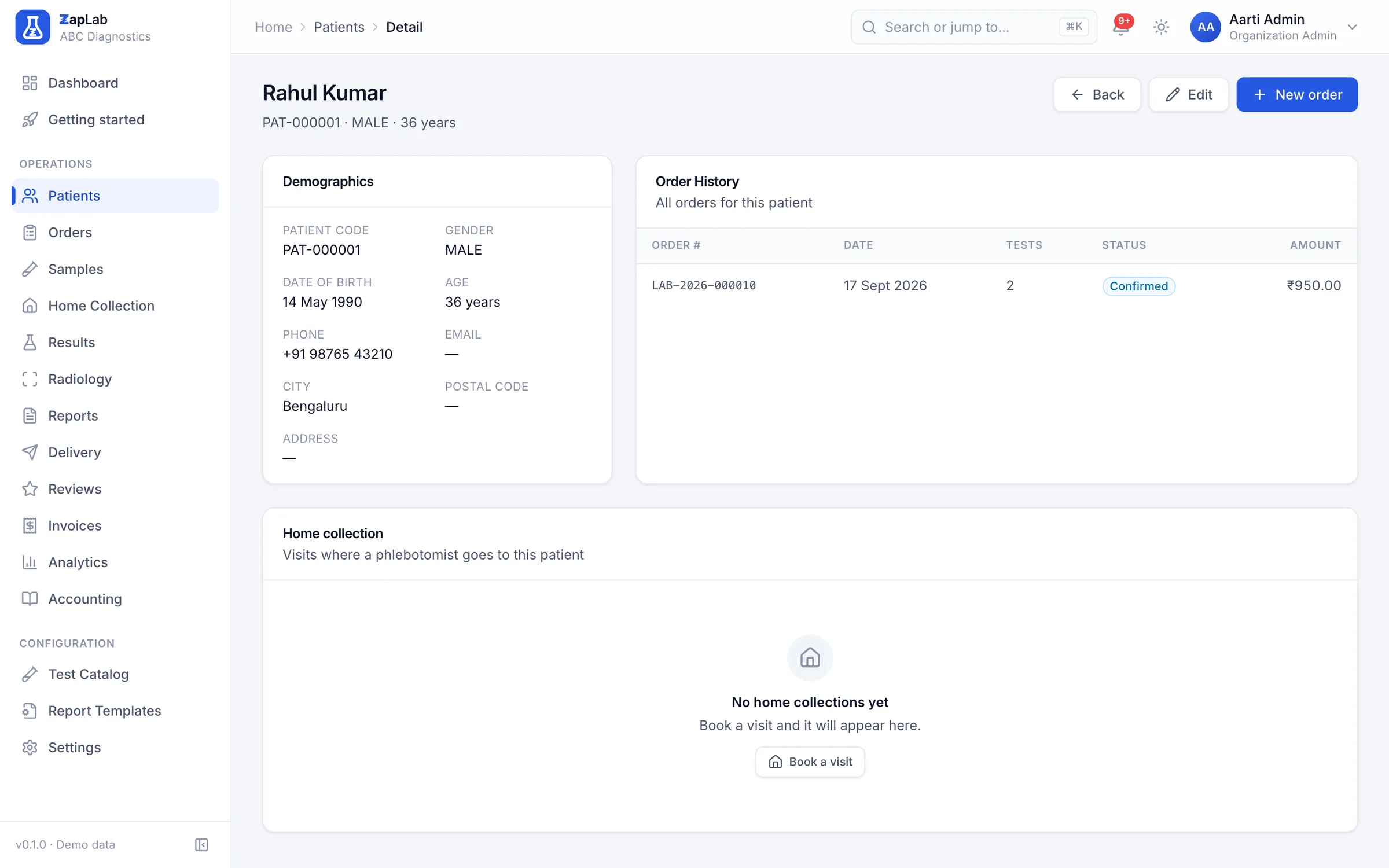
One patient, one history
A patient record carries the demographics on one side and every order that patient has ever had on the other. Global search resolves a name, a phone number, a patient code, an order number or a sample barcode, including a phone number typed with spaces or dashes.
Search resolves patients, orders and samples, and normalises a phone number before matching it.
Numbers that cannot collide
Patient codes, order numbers, sample numbers and report numbers are issued by a single atomic database statement, not by reading the highest number and adding one. Two receptionists registering at the same second get different numbers, and a workflow that rolls back does not consume one.
The bill prints on the printer you own
The same bill renders as A4, as A5 for a counter receipt, or as a 3-inch thermal roll, dropping the columns that are too wide for the narrow format. Every bill carries a barcode and a QR code.
Part payments and balances
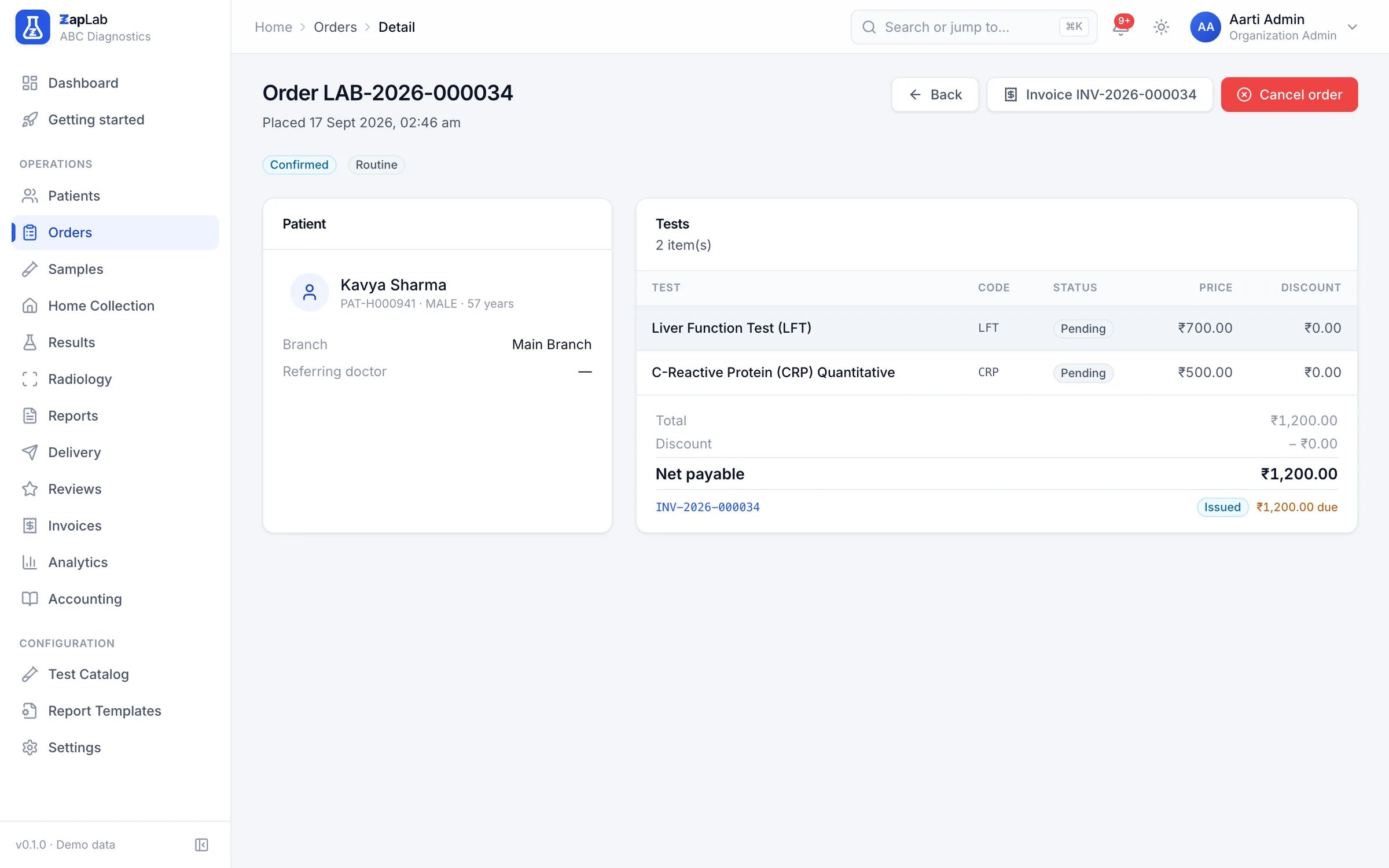
An invoice can sit as partially paid while payments accumulate against it, each with an amount, a mode (cash, card, UPI, bank transfer or other), a reference and the person who received it. The outstanding balance stays visible on the order and on the patient.
Invoices carry discount and tax, and payments carry an amount, a method, a reference and a receiver.
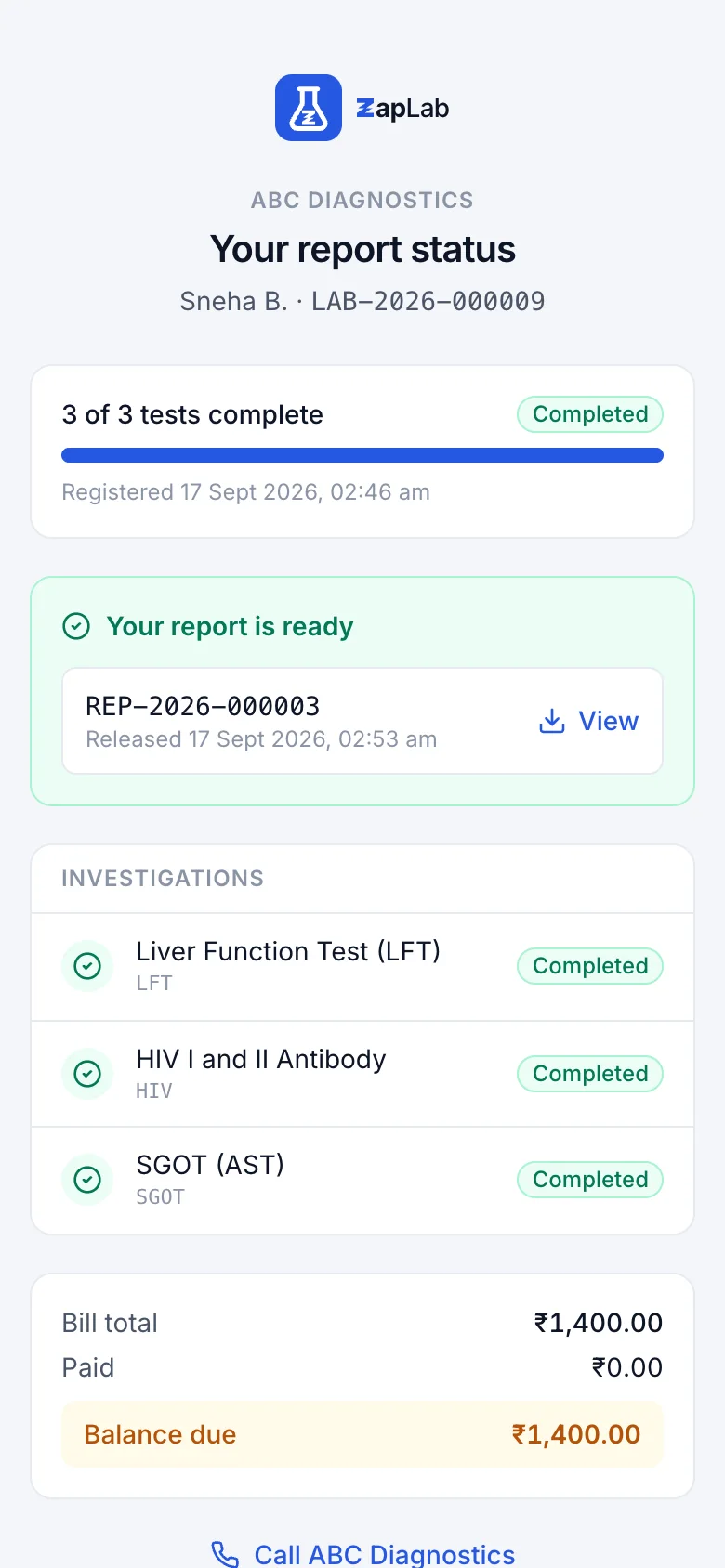
The QR code on the bill tracks the order
Scanning the bill opens a public page with no login: the laboratory and its phone number, a masked patient name, every investigation with its status, the bill total and the balance, and a link to the verification page of each report that has been released. The token is the only credential, so a draft report is never linked and the page shows nothing that would hurt if the link were forwarded.
The tracking page is unauthenticated by design and masks the patient name.
What this does not do yet
Labs ask for all of these. None of them work today, so none of them are counted as features anywhere else on this site.
- No insurance or TPA claim module. You can record that a bill was settled by a third party; you cannot file, track or reconcile a claim.
- No GST e-invoice. The bill carries your own tax lines, not an invoice reference number or QR code registered with the GST portal.
- One rate list for the whole lab. Prices are not yet per branch, so two branches cannot charge differently for the same test.
- No credit accounts or monthly statements for referring doctors and corporate clients. Commission percentages are recorded on the referrer, and there is no payout run.
- Home collection is scheduling and assignment only. There is no route planning, no phlebotomist mobile app and no payment collection at the door.
Where to look next
Two ways to check this page against something concrete: the formats themselves, and the comparison that covers this part of the product.
Related report formats
- Liver Function Test (LFT) report format
Biochemistry · Serum · 4 h turnaround
- Urine Routine and Microscopy report format
Clinical Pathology · Urine · 1.5 h turnaround
- Blood Sugar (Fasting and Post Prandial) report format
Biochemistry · Plasma (Fluoride) · 1.5 h turnaround
Compare
What installed offline lab software does well, where this system wins, and the rows where it does not.
Set up your lab this afternoon.
Create your organisation, add your tests, print the first barcode. If you would rather see it first, ask for a walkthrough.