Lab report software and templates
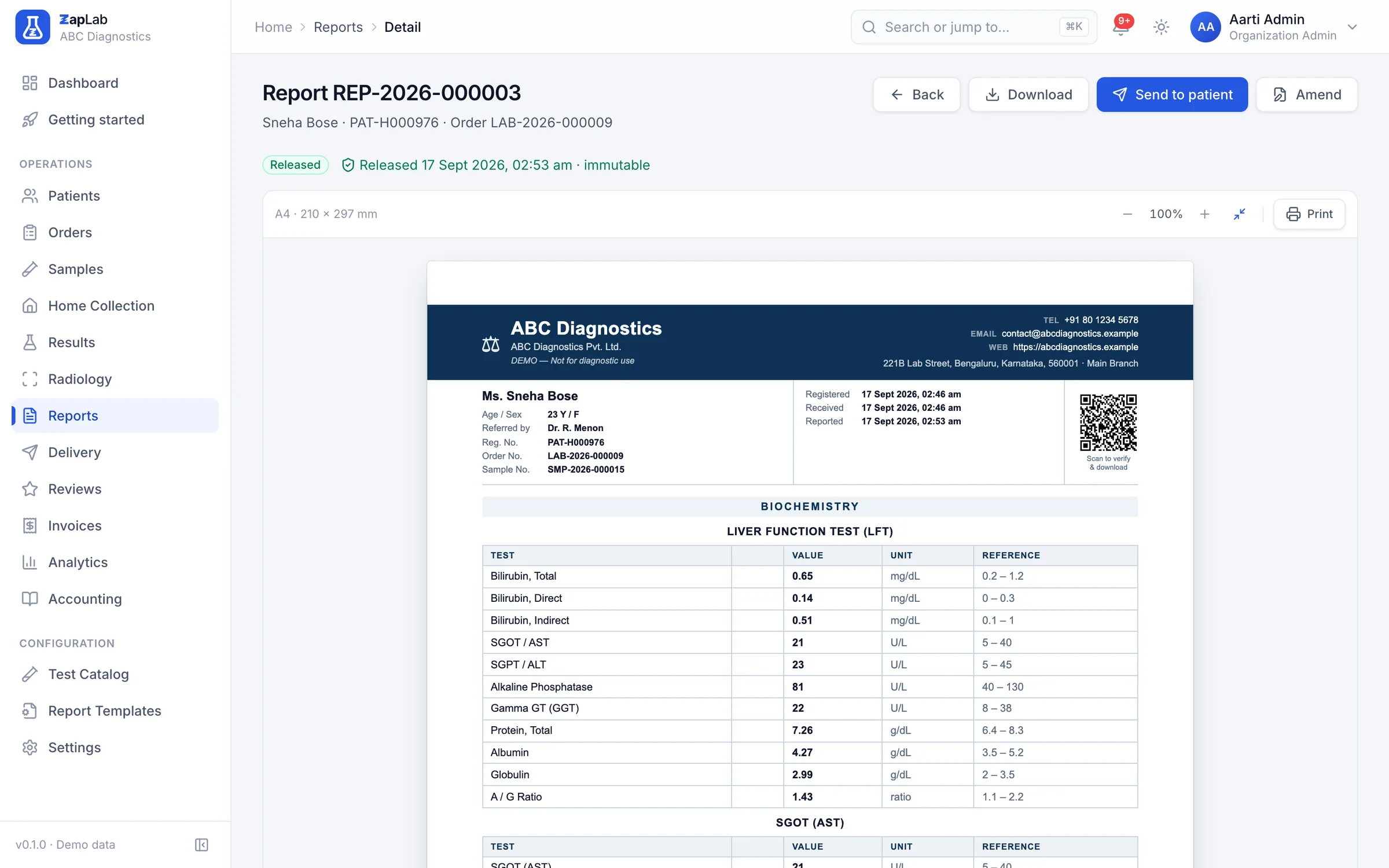
The report is what the lab actually sells. You build the template once, and every released report comes out of it as a PDF with your letterhead, your signatories and a QR code anyone can scan to check the report is genuine.
Build the template your lab already prints
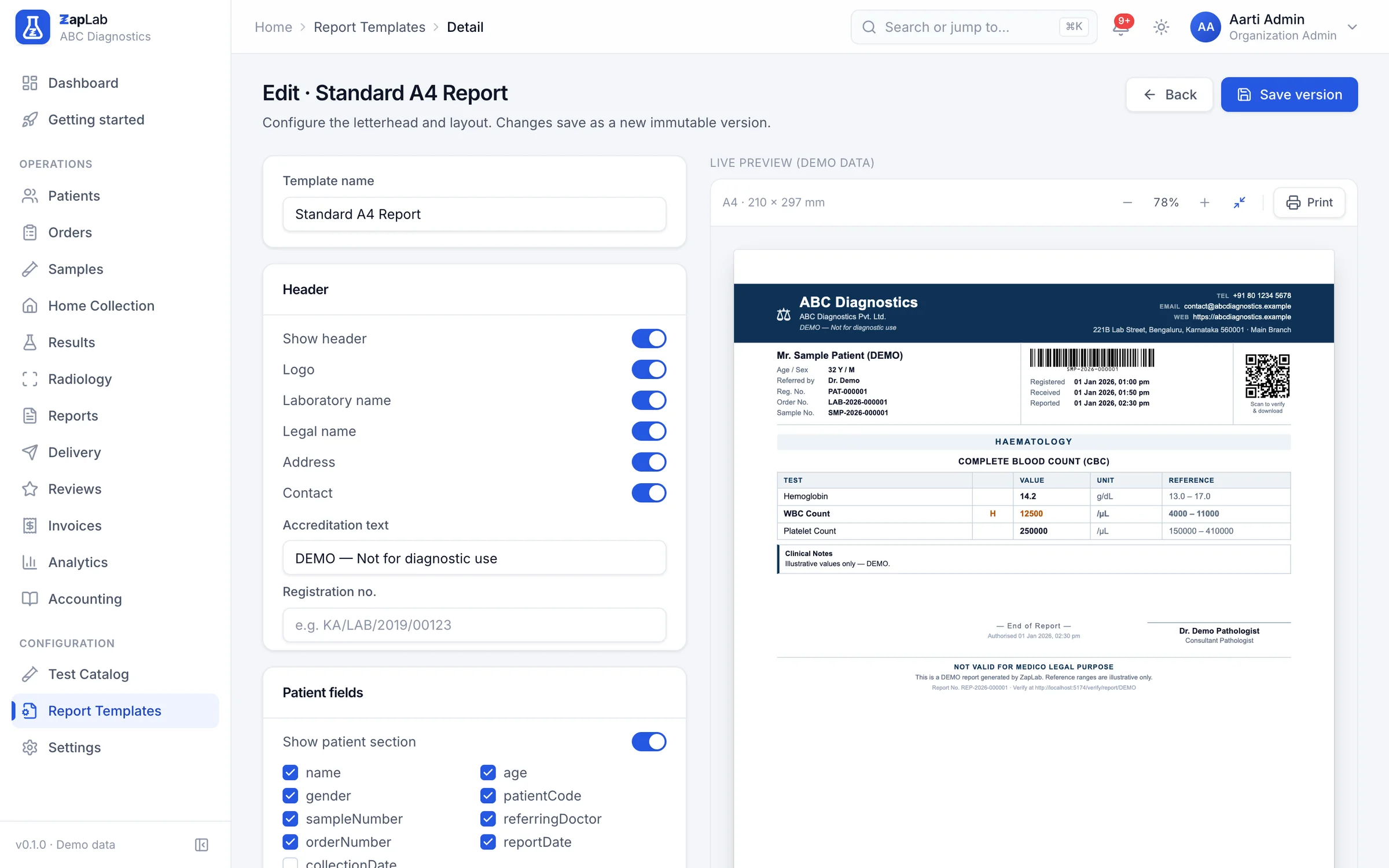
The editor holds the letterhead switches (logo, laboratory name, legal name, address, contact line, accreditation text and registration number), the patient fields printed above the results, the result columns you want, and the font size. Page size is A4 or Letter, and all four margins are yours, so the print lands inside your pre-printed stationery instead of across it. A live preview of the page sits beside the settings while you change them.
Every letterhead, patient-field, column, font, page-size and margin choice is saved with the template, and a template with a missing or invalid setting is refused before it is saved.
Two signatories, because Indian reports carry two
The technologist who ran the assay and the pathologist who authorised it each get a name, a qualification, a designation and a signature image, and the approval time prints beside them. The footer carries the disclaimer, the working hours, the barcode, the page number and the statutory line, each switched on or off in the template, and it sits at the foot of the page however few results are printed above it.
The PDF comes out of the same page you previewed
Releasing a report turns the page you previewed into a PDF and files it against the order. Nothing is retyped or laid out again on the way, so what the pathologist approved on screen is exactly what the patient receives, and the same file can be printed, downloaded or sent.
If the PDF cannot be produced, the release still completes with a printable copy of the report, so an order never ends without one.
Scan the QR code and check the report is genuine
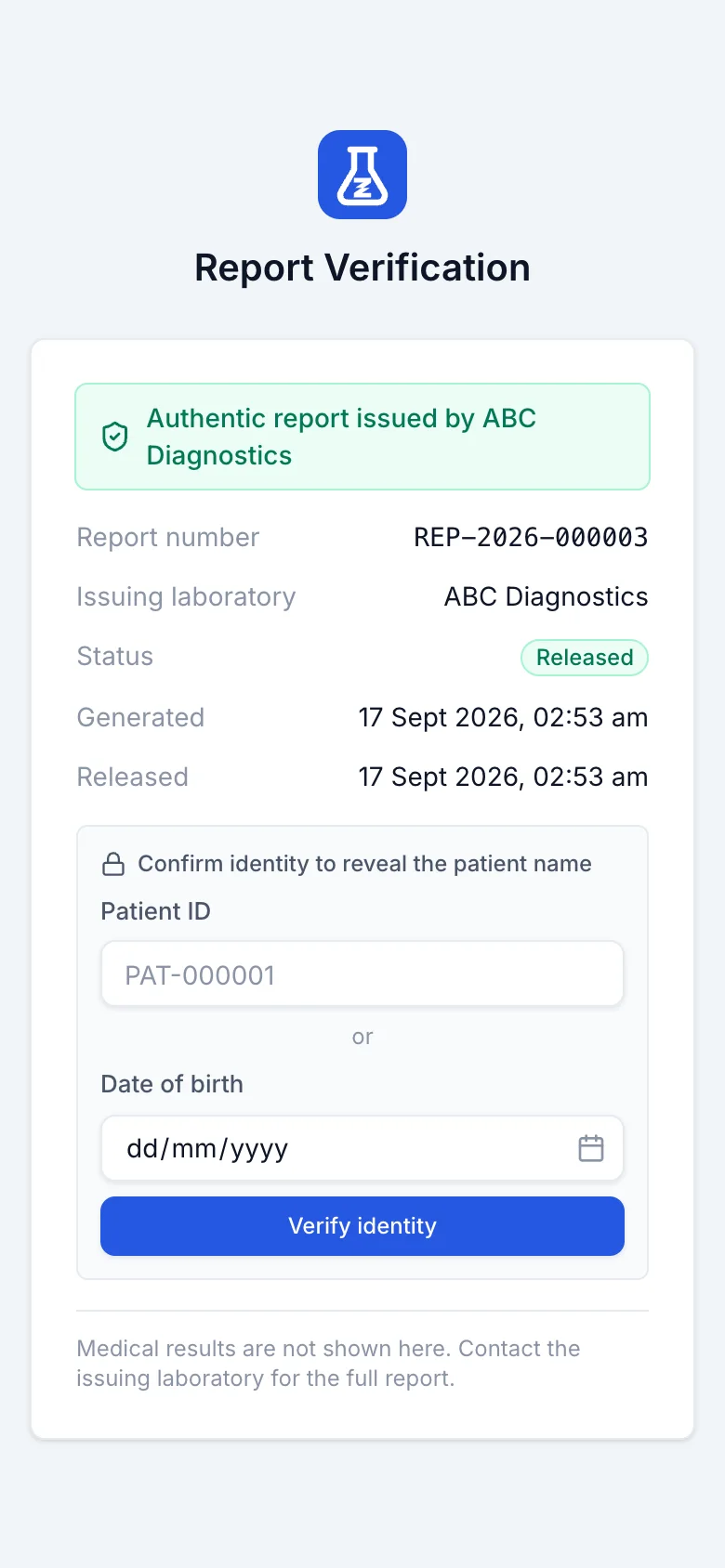
Every released report carries a QR code that opens a public verification page. It confirms the report number, the issuing laboratory and the release date, and the lab can require a date of birth or a patient code before any identifying detail appears. Clinical values are never shown there.
Anyone can open the verification page without signing in; the patient’s name appears only after a date of birth or patient code, if the lab asks for one.
Amend a released report and both versions stay
A released report cannot be quietly regenerated. It can only be amended, and an amendment records the reason, keeps a link back to the version it replaces, and leaves both retrievable afterwards.
Radiology reporting from templates you write
X-ray and ultrasound studies get their own worklist, their own free-text templates, and a finalise step before release. The templates are yours to write: none ship with the product.
What this does not do yet
Labs ask for all of these. None of them work today, so none of them are counted as features anywhere else on this site.
- Reports print A4 or Letter only. There is no A5 or 3-inch thermal report layout, although the bill has one.
- No digital signature certificate. The signature is an image plus a recorded approval time, which is not the same thing as a cryptographically signed document.
- Report text is English only. There are no Hindi or other regional-language templates.
- One layout per template. A lab that wants a different look for, say, histopathology keeps a second template rather than switching sections on and off per test.
Where to look next
Two ways to check this page against something concrete: the formats themselves, and the comparison that covers this part of the product.
Related report formats
Set up your lab this afternoon.
Create your organisation, add your tests, print the first barcode. If you would rather see it first, ask for a walkthrough.