Report delivery by email, SMS and WhatsApp
A report that sits in the system has not been delivered. Send it by email, SMS or WhatsApp, keep a log of what went where, and let the patient follow the order and verify the report from the QR code on the bill.
Email, WhatsApp and SMS on every plan
Email works from the first day. SMS and WhatsApp send once the messaging gateway is connected, and until then the app shows them as waiting on setup instead of pretending a message went out. By email the report goes as an attached PDF, addressed to the patient by name, so it still opens after it has been forwarded to a doctor.
A channel you have not configured is greyed out, not broken
The app knows which channels are set up and greys out the rest instead of queueing a message that will fail. That is why a new lab sees email ready and WhatsApp waiting on setup, rather than a silent failure at the counter.
Every send is logged, and a failure can be retried
The delivery log records the channel, the recipient, the time and the status, and a failed send can be retried from the same screen. Sent and delivered are deliberately different: delivered appears only once the provider confirms the message arrived.
The patient tracks the order without an account
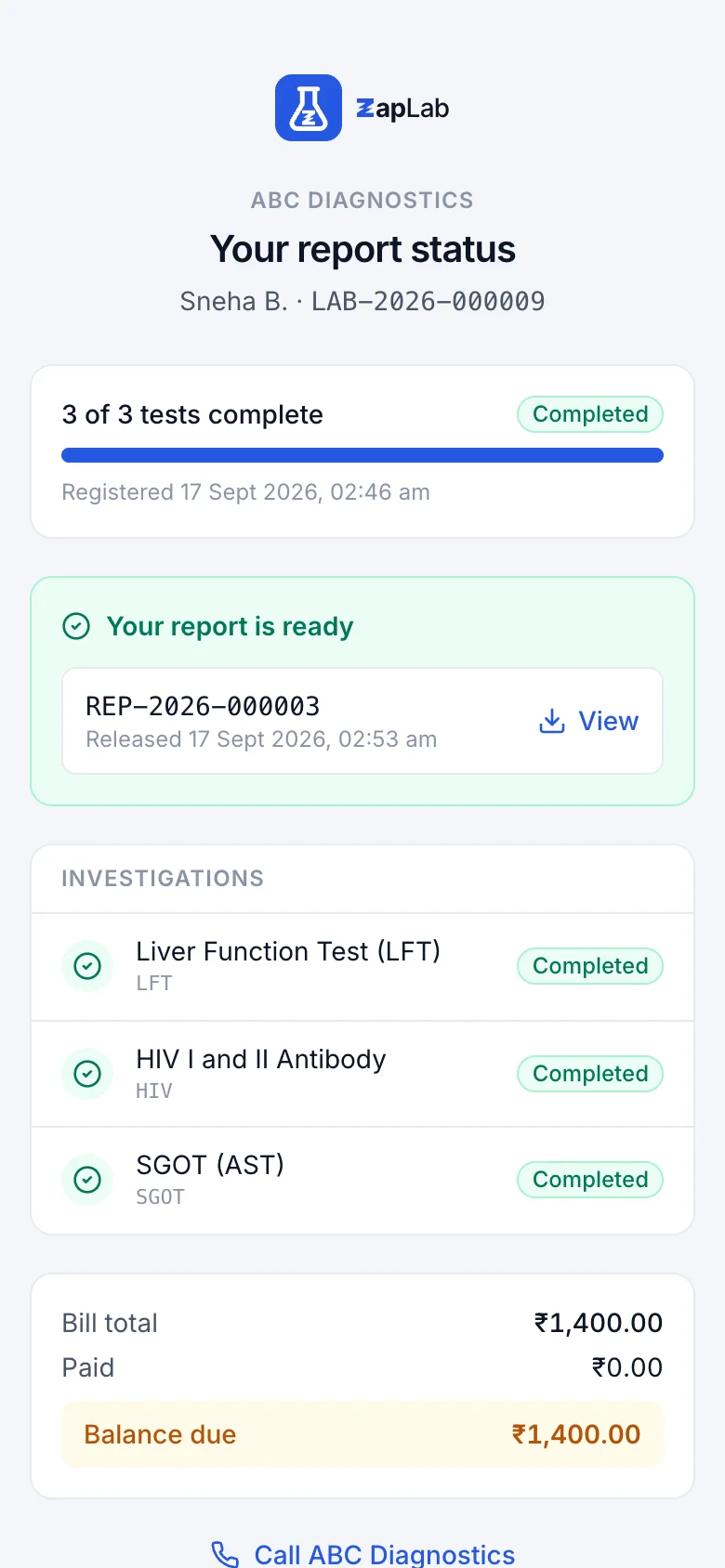
The QR code on the bill opens a tracking page showing a masked patient name, each investigation with its stage, how many are complete, the balance, and a button to call the lab. No password, no registration, and no clinical values for tests that are still running.
The tracking link works only for the order it was printed on, and shows a masked name and the status of each test.
Verification instead of a login
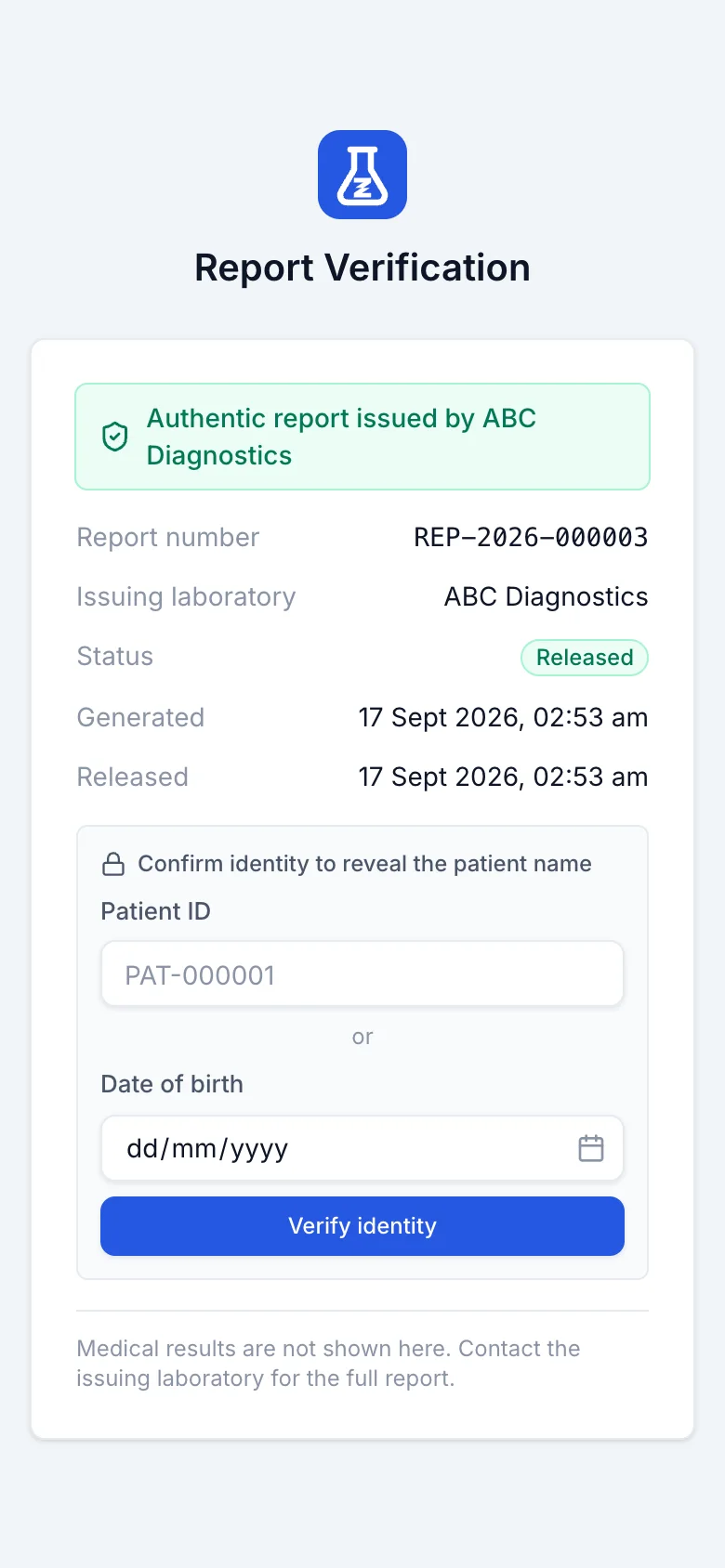
The QR code on the report opens a verification page that says whether the report is authentic and who issued it. The lab can require a date of birth or a patient code before the patient name appears, and medical results are not shown on that page at all.
Verification needs no login, and the lab decides whether a date of birth or patient code is asked for first.
Ask for a Google review once the report has landed
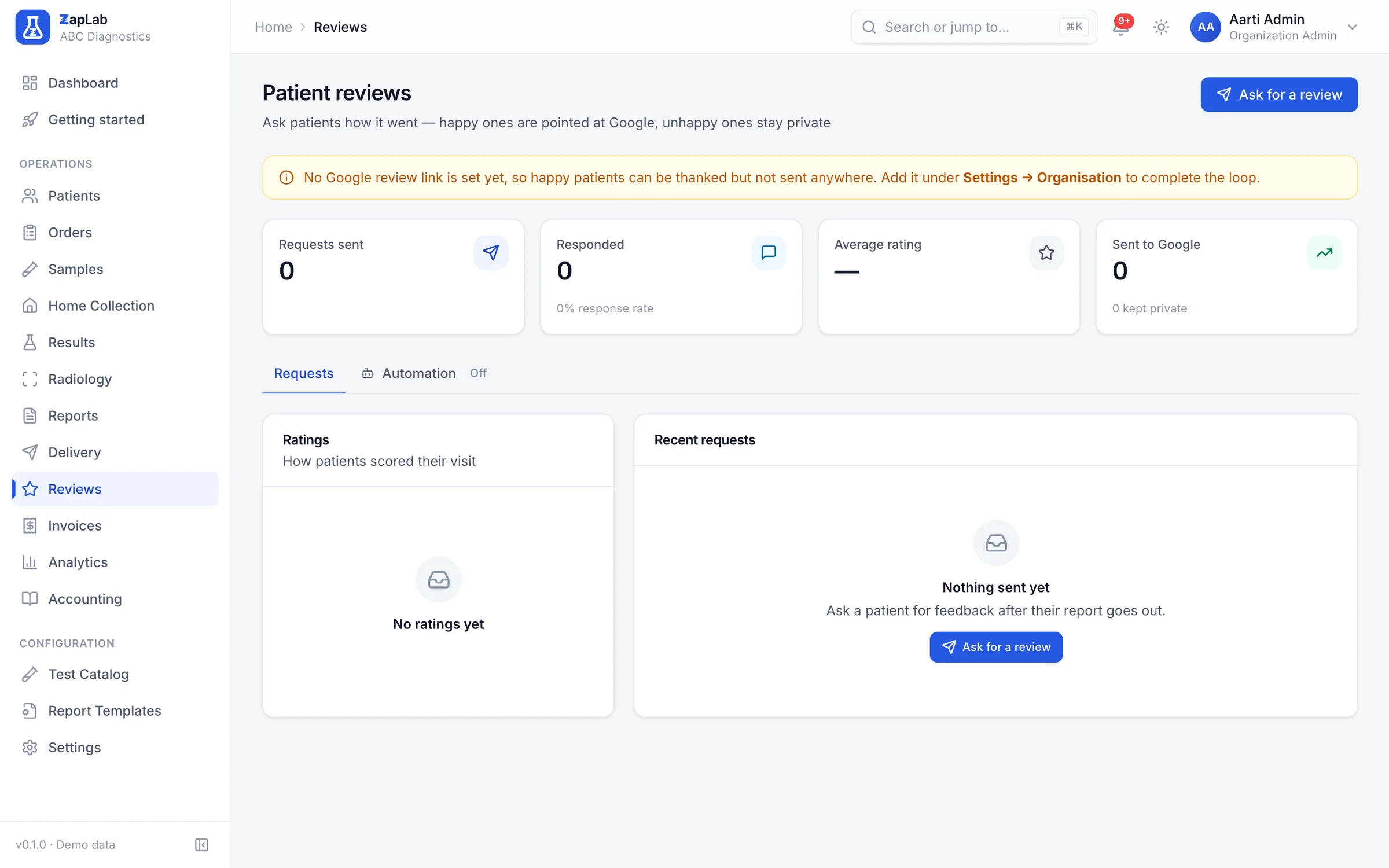
Review requests can go out by hand or automatically after a delay you set, with a minimum gap before the same patient is asked again and your own message template. The screen shows requests sent, response rate, average rating and how many people went through to Google.
Automatic review requests are off until you switch them on, and never ask the same patient again within the gap you set.
What this does not do yet
Labs ask for all of these. None of them work today, so none of them are counted as features anywhere else on this site.
- SMS and WhatsApp go out from one shared sender. A lab cannot yet connect its own WhatsApp Business number or SMS sender name.
- No scheduled campaigns and no marketing broadcasts. Sends are per report, and the review request is the only automated message.
- No delivered status for SMS or WhatsApp unless the provider confirms it. Until then the log says sent, which is the honest state.
- Messages go out in English. There are no regional-language message templates.
- No courier or hand-delivery tracking for printed reports.
Where to look next
Two ways to check this page against something concrete: the formats themselves, and the comparison that covers this part of the product.
Related report formats
Set up your lab this afternoon.
Create your organisation, add your tests, print the first barcode. If you would rather see it first, ask for a walkthrough.